ADMISSIONS


.jpg)

WELCOME BACK, EAGLES!
(SCROLL RIGHT TO VIEW ALL INFORMATION)
TEACHER WISHLISTS
.jpg)
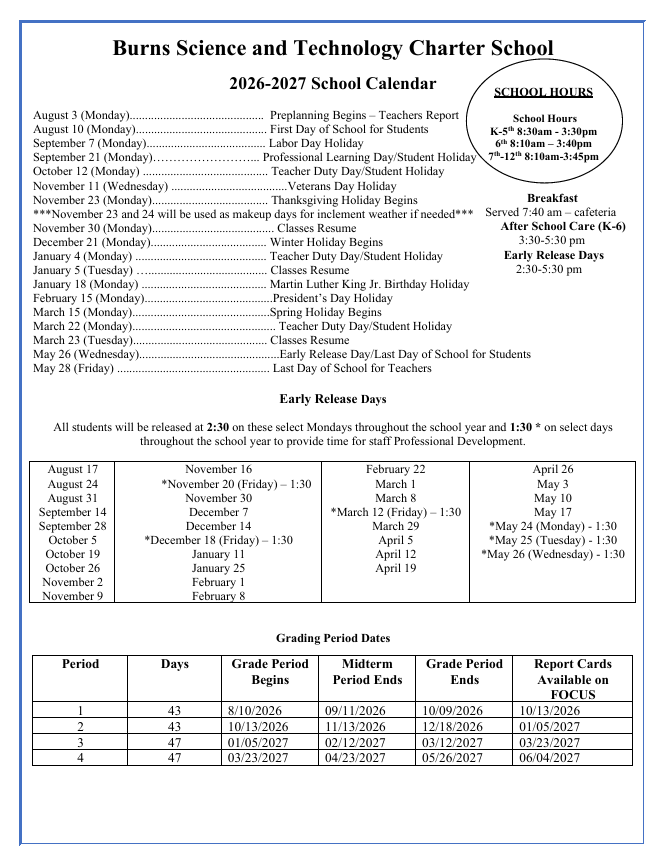
To help your family prepare for a successful start to the school year, we've put together a list of important Back-to-School items:
-
Pay Your Student Fees
-
Verify grade-level dress code & requirements.
-
Label jackets, lunch boxes, and water bottles with your student's name.
-
Purchase School Supplies
-
Add Funds to Cafeteria Accounts
-
Support Teacher Wish Lists
-
Confirm bus or transportation information and Pickup/Dropoff Procedures
-
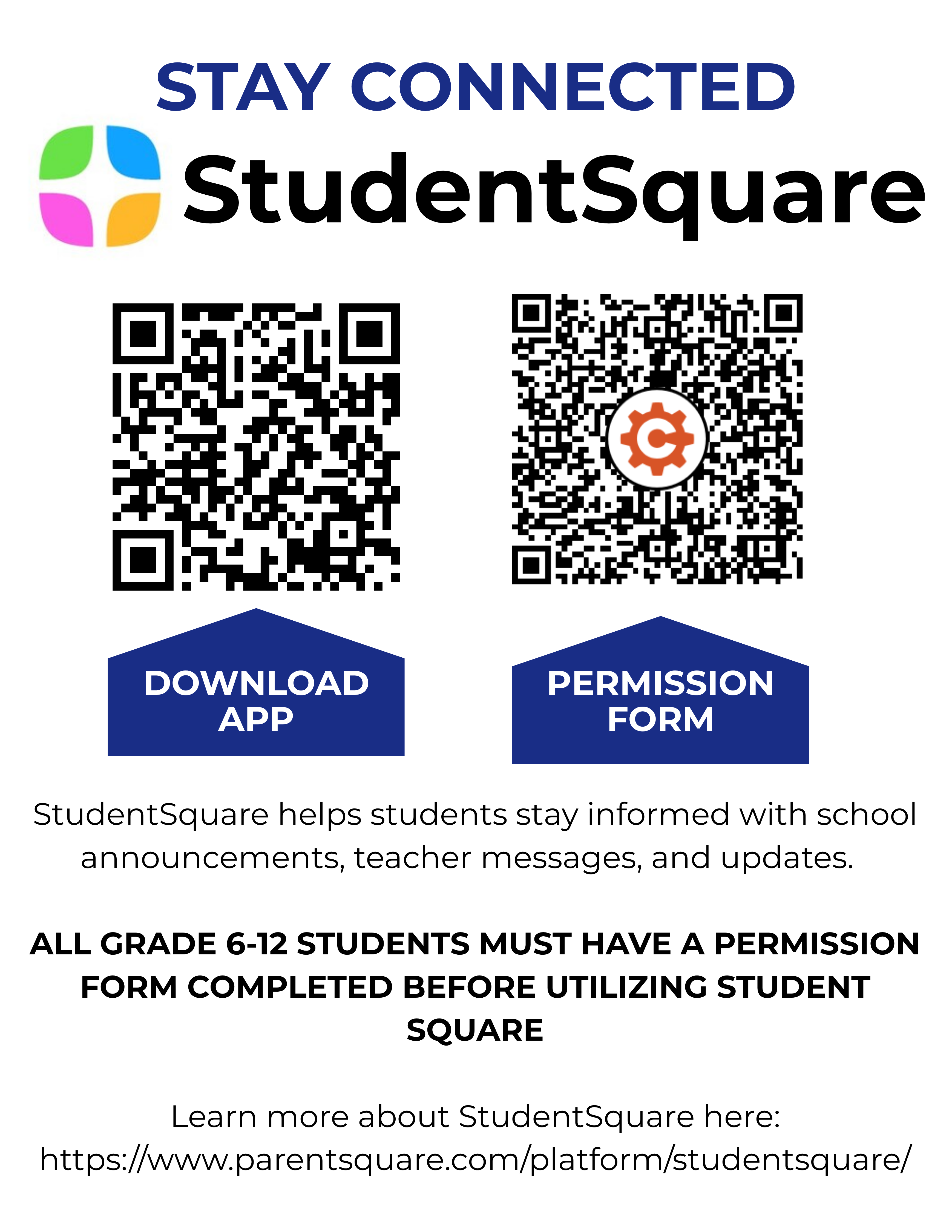
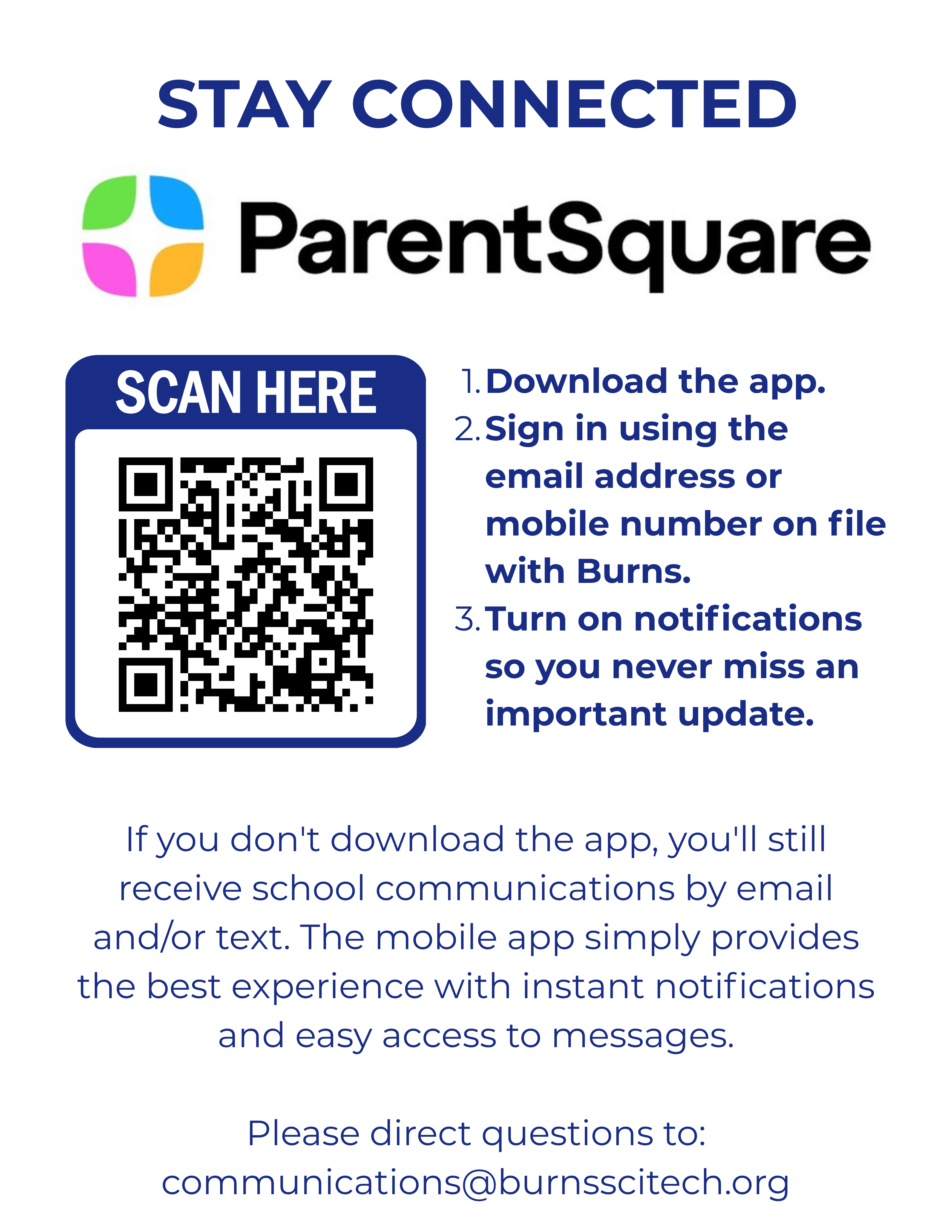
Stay Connected Download and log in to ParentSquare and StudentSquare. Verify your email address and phone number. Enable notifications so you don't miss important updates.
-
Complete Your FOCUS forms and make necessary updates.
-
Student athletes: complete your Digital Athletic Clearance.

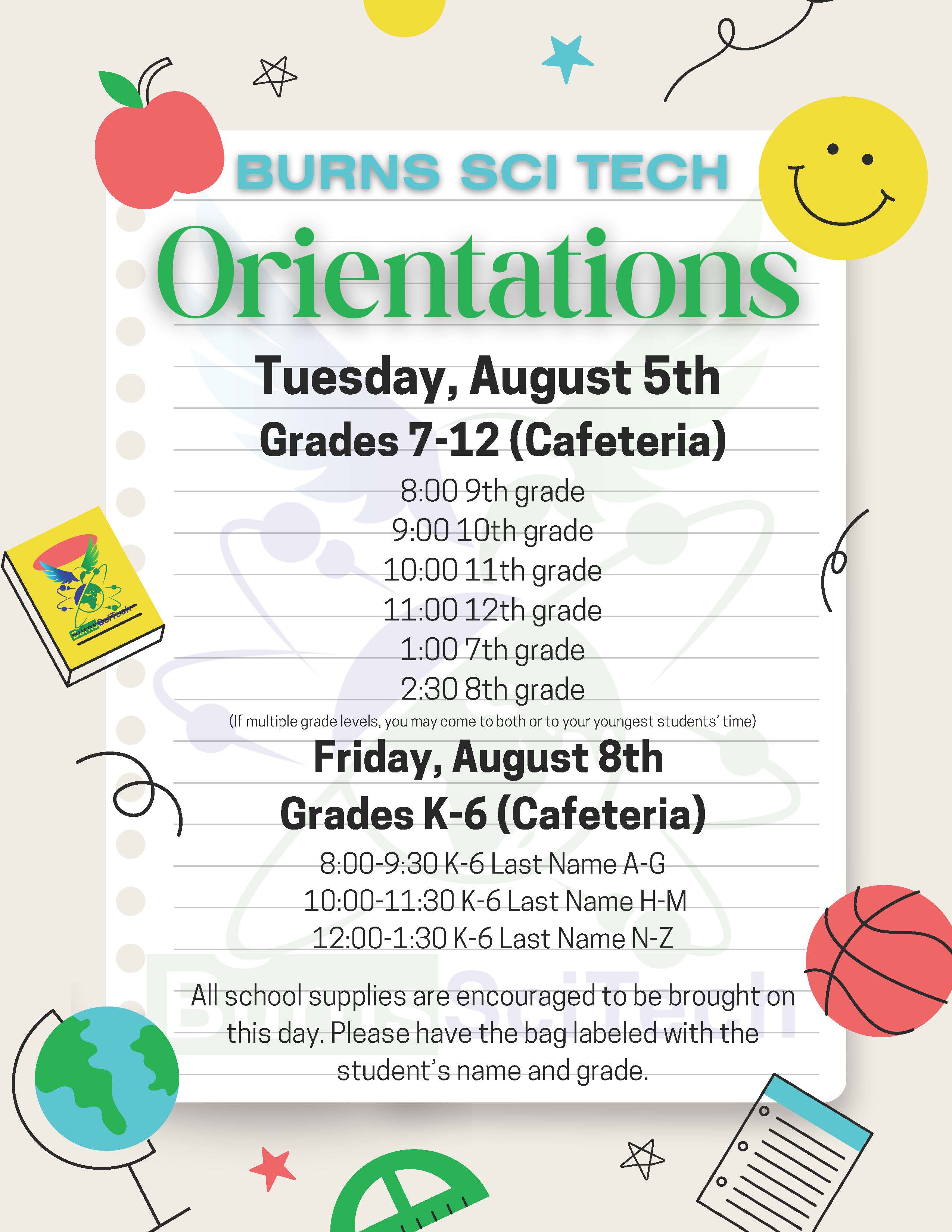
BACK TO SCHOOL INFO BY GRADE
(scroll right on mobile devices)
WISH LISTS
DIGITAL ATHLETIC CLEARANCE
Please be sure to follow these steps to complete your registration and ensure that your student is registered for athletic participation:
-
Create an Arbiter Registration account (you only need one account for your whole family)
-
You may create your account by clicking here.
-
Activate your Arbiter Registration account from the activation link that will be automatically sent to your email. (Note: this email may go into your junk folder).
-
If you are having trouble creating your account, receiving the activation email, or logging in, you may contact support at registration@arbitersports.com or call us at 800-311-4060.
-
Once you have successfully created your account and are logged in, please click or scan the QR code to complete your registration.
Once you have completed your registration, you will receive an email notification to let you know we have received your registration. Students MUST be registered and cleared to be eligible for participation.

.png)
TRAFFIC INFORMATION
Ridge Road is one-way during both drop-off and pick-up.
Follow all designated traffic patterns to help keep our students and families safe and traffic moving smoothly.
Grades K–1
Green Car Tag
ARRIVAL
Arrival Window: 7:40–8:25 a.m.
Route & Location: Take E. Halifax Ave to Ridge Rd.
Stay in the LEFT lane on Ridge Road until you have passed the Gym and then turn right to enter at the Cafeteria. Follow Staff Instructions. Pull all the way forward. Drop off students in front of the Cafeteria/Office.
DISMISSAL
Dismissal Time: 3:20 p.m.
Turn left on Halifax Avenue.
Turn right on Ridge Road.
Stay in the right lane past the Gym and then turn right to enter at the Cafeteria. Follow Staff Instructions. Pull all the way forward to the far building.
Remain in your vehicle. Students will be brought to you.
If you are picking up only a K–1 student, stay in the right-hand (inside) lane.
If you are also picking up an older sibling in Grades 2–5, stay in the left-hand (outside) lane.
Grade 6 and Grades 7–12 students are NOT picked up with K–1 students. You must loop back for those students at their designated dismissal times and locations.
Grades 2–5
Royal Blue Car Tag
ARRIVAL
Arrival Window: 7:40–8:25 a.m.
Route & Location: Take E. Halifax Ave to Ridge Rd.
Stay in the LEFT lane on Ridge Road until you have passed the Gym and then turn right to enter at the Cafeteria. Follow Staff Instructions. Pull all the way forward. Drop off in front of the Cafeteria/Office.
DISMISSAL
Grades 2–3 Dismissal Time: 3:30 p.m.
Grades 4–5 Dismissal Time: 3:35 p.m.
Enter on Lagoon Avenue.
Turn right on N. Gaines Street.
Turn right on Halifax Avenue.
Turn left on Ridge Road.
Stay in the left lane until you have passed the gym entrance. Then pull in front of the school at the cafeteria/office area.
Remain in your vehicle.
Please do not block any driveways.
If you have more than one student in Grades K–5, come at your youngest K–5 child's dismissal time and location to pick up your K–5 students together.
Grade 6 and Grades 7–12 students are NOT picked up with Grades 2–5. You must loop back for those students at their designated dismissal times and locations.
Grade 6
Royal Blue Car Tag
ARRIVAL
Arrival Window: 7:40–8:05 a.m.
Route & Location: Take E. Halifax Ave to Ridge Rd.
Stay in the LEFT lane on Ridge Road until you have passed the Gym and then turn right to enter at the Cafeteria. Follow Staff Instructions. Pull all the way forward. Drop off students in front of the Cafeteria/Office.
DISMISSAL
Dismissal Time: 3:40 p.m.
Enter on Lagoon Avenue.
Turn right on N. Gaines Street.
Turn right on Halifax Avenue.
Turn left on Ridge Road.
Stay in the left lane until you have passed the gym entrance. Then pull in front of the school at the cafeteria/office area.
Remain in your vehicle.
6th graders will not be released before 3:40 p.m. There are no exceptions.
If you have younger students in Grades K–5, pick them up first and then loop back around for your 6th grader at 3:40 p.m.
If you also have a student in Grades 7–12, complete your Grade 6 pick-up and then loop back again for your older student in the appropriate pick-up zone.
Grades 7–8
Light Blue Car Tag
ARRIVAL
Arrival Window: 7:30-8:05 a.m.
Route:
Take E. Halifax Ave. to Ridge Rd. Stay in the RIGHT lane at Ridge Road. Follow Staff instructions.
Location:
Front of the High School/Gym.
DISMISSAL
Dismissal Time: 3:40 p.m.
Turn on to Halifax Avenue.
Turn right on Ridge Road.
Stay in the right lane.
You will be directed to turn in front of the gym.
7th Grade: Stay in the inside lane closest to the gym building.
8th Grade: Stay in the outside lane closest to the road.
If you have a younger student in Grades K–5 or Grade 6, complete the younger student's pick-up first and then loop back around for your 7th–8th grade student.
Grades 9–12
Grey Car Tag
ARRIVAL
Arrival Window: 7:30-8:05 a.m.
Route:
Take E. Halifax Ave. to Ridge Rd. Stay in the RIGHT lane at Ridge Road. Follow Staff instructions.
Location:
Front of the High School/Gym.
DISMISSAL
Dismissal Time: 3:45 p.m.
Turn on to Halifax Avenue.
Turn right on Ridge Road.
You will be directed to pull between the gym and the high school building.
Form two lanes in the designated pick-up area.
Remain in your vehicle.
If you have younger students, complete their applicable pick-up procedures first and then loop back around for your Grades 9–12 student at 3:45 p.m.